Talk to us.
Your email app will open. If it doesn't, copy this address into the email service you use. We read every message.
Common questions
How do I play?
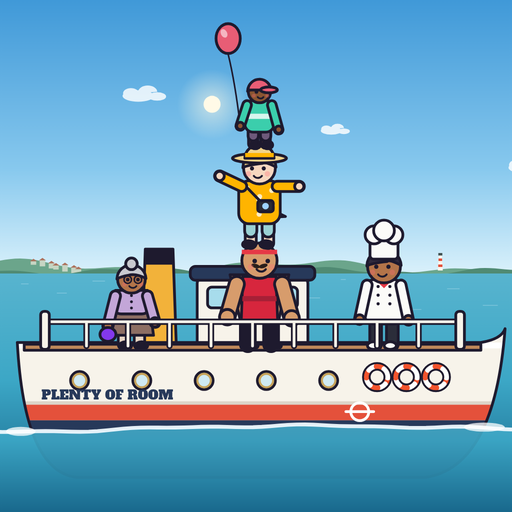
Tap anywhere (or press Space with a keyboard) to drop the passenger swinging from the crane. Land them on the deck or on someone already aboard. Every landing tips the ferry a little, so keep the crowd over her middle. On the harbour ferry an outline shows where they'll land; after that, you aim by eye. A passenger who misses goes into the sea and costs a lifebuoy; with no lifebuoy left, the next miss ends the run, and so does a capsize. Every 10 aboard, a lifebuoy comes back.
She's tipping. Can I save her?
Often, yes. When she leans far over, drop the next passenger on her high side to bring her back: that's a SAVED! A tall, narrow tower tips more easily than a crowd spread across the deck, and the heavier passengers (watch the weight on their ticket) tip her the most.
When does my ship get bigger?
Nobody gets off, so the crowd only grows, and so does your ship: a Bosphorus vapur at 40 aboard, an ocean liner at 65, an aircraft carrier at 90, a cruise megaship at 150, a container ship at 225 and Noah's Ark at 300. Each comes with a lifebuoy and a band of its own. There's no limit to how far a run can go.
What happens at the piers?
Every 10 aboard you pass the next pier of a real route, from Eminönü up the Bosphorus, across the Sea of Marmara and through the Dardanelles to Bodrum. Some piers have a surprise, such as Hezârfen at Üsküdar, the ship's cat at Kadıköy or the dolphins at Ortaköy; the first time you reach a pier, its surprise is sure to come. Pass a pier with the ferry level and you collect its postcard. The Route button on the harbour screen opens the route map with your postcards.
What is Today's Ferry?
A run with the same passengers, in the same order, for everyone that day. Start it from TODAY'S FERRY on the harbour screen. It keeps a best of its own for the day, and the share line says which day it was.
How do I pause, or end a run early?
Tap the pause button (‖) at the top right. The pause card has RESUME, the settings and END RUN, which finishes the trip where it is and counts it like any other. The game also pauses itself when you leave the app or lock your phone, and waits for you.
The app closed in the middle of a run. Is it lost?
No. If the app is closed, or iOS stops it while you're away, the next start brings the run back exactly where it was (WELCOME BACK), paused, ready to carry on.
Where is my progress saved?
On your iPhone, in the app's own storage: your best, your tallest stack, badges, paint jobs, postcards and settings. There is no account and no cloud save, so we can't restore progress from a server. Deleting the app deletes its progress. If something looks wrong after an update, contact us before reinstalling.
Can I move my progress to another phone?
The game has no transfer or sync of its own. Moving to a new iPhone from a backup may bring the app's data with it, depending on your backup settings, but we can't promise it.
How do I share my result?
On the results card, tap SHARE. The game writes a short line about your trip (how many aboard, your route, and one square per pier) and opens the iPhone share sheet, where you choose where it goes. Nothing is sent anywhere until you choose.
How do I change the language?
The game speaks English and Turkish and follows your iPhone's language. To change it for the game alone, open the settings (the gear on the harbour screen, or the pause card) and tap the Language button. If your iPhone has more than one language set up, you can also choose the app's language in iPhone Settings, under One More Passenger.
Can I listen to my own music while I play?
Yes. Start your music or podcast and the game's band waits quietly while it plays; the game's sounds still play unless you turn Sound off. Sound, Music and Haptics each have their own switch in the settings.
Is there a Reduce Motion setting?
Yes. The game follows your iPhone's Reduce Motion setting, and you can change it for the game alone in its settings: no shaking, flashing or fireworks, the camera stays on the tower while your ship grows, and nothing pulses. Every button also works with VoiceOver and a keyboard.
Does the game work offline?
Yes. Everything the game needs is in the app, and you can play without a connection. When you're online, an ad now and then between runs is the only thing it loads. Opening these pages, sending email and sharing a result to an online service need a connection.
Why are there ads?
One More Passenger is free, and the ads pay for it. An ad can come between two runs, never during one: none in your first few minutes of play, and after that at most one every three runs and three minutes. Each ad has its own close button (some let you close them after a few seconds). The ads come from Google AdMob and are limited to those suitable for most audiences.
How do I change my privacy choices for ads?
In the EEA, the UK and Switzerland, Google asks for your consent the first time you open the game. To change your answer, open Settings (the gear on the harbour screen or the pause card) and tap Privacy choices. In US states with privacy laws, such as California, the same Privacy choices lets you opt out of the sale or sharing of your information for ads. Elsewhere the game doesn't ask, and that setting isn't there. The privacy policy explains what the ads use.
Reporting a problem
A few details help us reproduce it:
- Your iPhone model and iOS version.
- The app version (or TestFlight build), if you know it.
- What you were doing just before it happened, how many were aboard, and whether it happens again.
- A screenshot or a short screen recording, if you can.
Please check attachments for personal information before sending them. We never need your Apple Account password or payment details.
For questions about your information, see the privacy policy or email the same address.